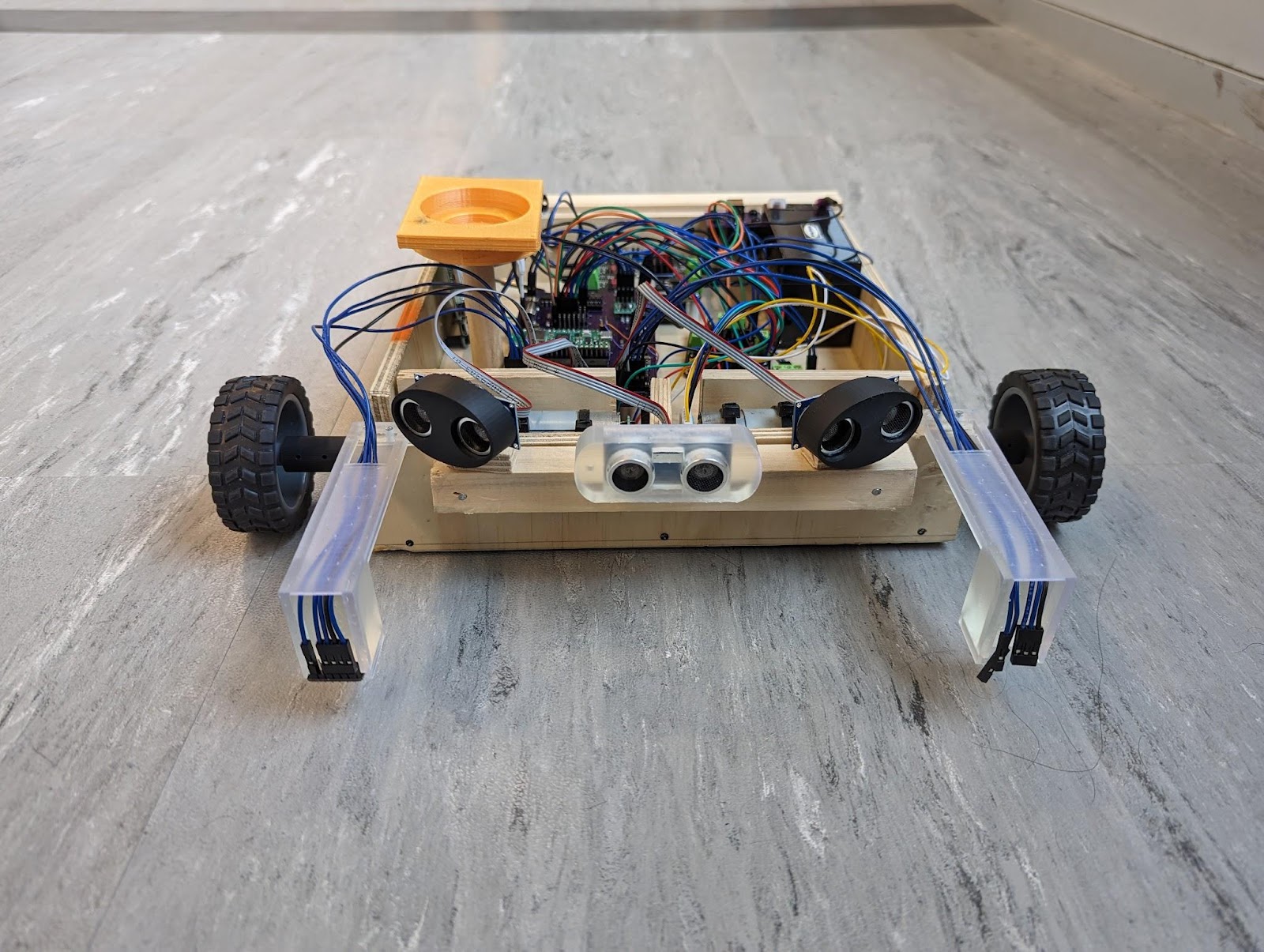
Arven is a personal medication delivery robot designed and built by 3 students (myself [Kia] being one of them) for their Computer Engineering Technology capstone. This page primarily pulls relevant exercepts from the Final Report that was produced as part of that project.
This page will predominantly cover the aspects that I contributed to; you may download the Full Report if you would like to view it in it's entirety. All quotes on this page have been taken directly from the report.
There are some people who are in need of a support animal who brings them medication, for various reasons. However, there are some people who are unable to have a support animal due to financial reasons, health reasons, or otherwise. The purpose of this project is to make a non-living replacement for this type of support animal in the form of a robot.
Scope
The robot will not be able to retrieve medication, it must be placed on the robot ahead of time. It will also not be able to dispense medication; the user will be responsible for taking their medication. Medication compliance will be tracked based on predefined user values, not accurate measurements. The robot's delivery zone will be limited to a single floor of a building and will not be able to open doors. A web application will be provided to manage medication and view a brief overview of the robot's operating information. The web application will be limited to a single device per user. The robot will only be able to deliver medication to a single tracking device.
Design
The below diagram represents the initial intended layout of all the components. I didn't design the overall body of the robot but I did plan out and design the placement of the components within the robot. Some of the highlights are: 2 downward facing IR sensors mounted at the front for detecting a drop (i.e. stairs) [10]; 2 snap action switches mounted at the back for detecting bumping into an obstacle while backing up [11]; 3 ultrasonic sensors mounted in an array at the front for detecting obstacles before running into them [2]; a UWB module for detecting position in relation to the user, and the dock [6]; a force sensing resistor located in the medication holder for detecting whether the medication is present or not [5]; and a custom PCB for connecting everything [4].
Top (Left), parts 1-9Bottom (Right), parts 10-11
Motors and Wheels
Ultrasonic Sensors (HC-SR04)
Motor Controllers (DRI0002)
PCB with Raspberry Pi Pico W and ATmega328P
Medication Holder
UWB Module (DWM1001-DEV)
12V Lead-Acid Battery
Power Jack (PJ-096H)
12V Lead-Acid Battery Charge Module (DFR0580)
IR Sensor Modules (SEN0427)
Bump Sensors (Snap Action Switches)
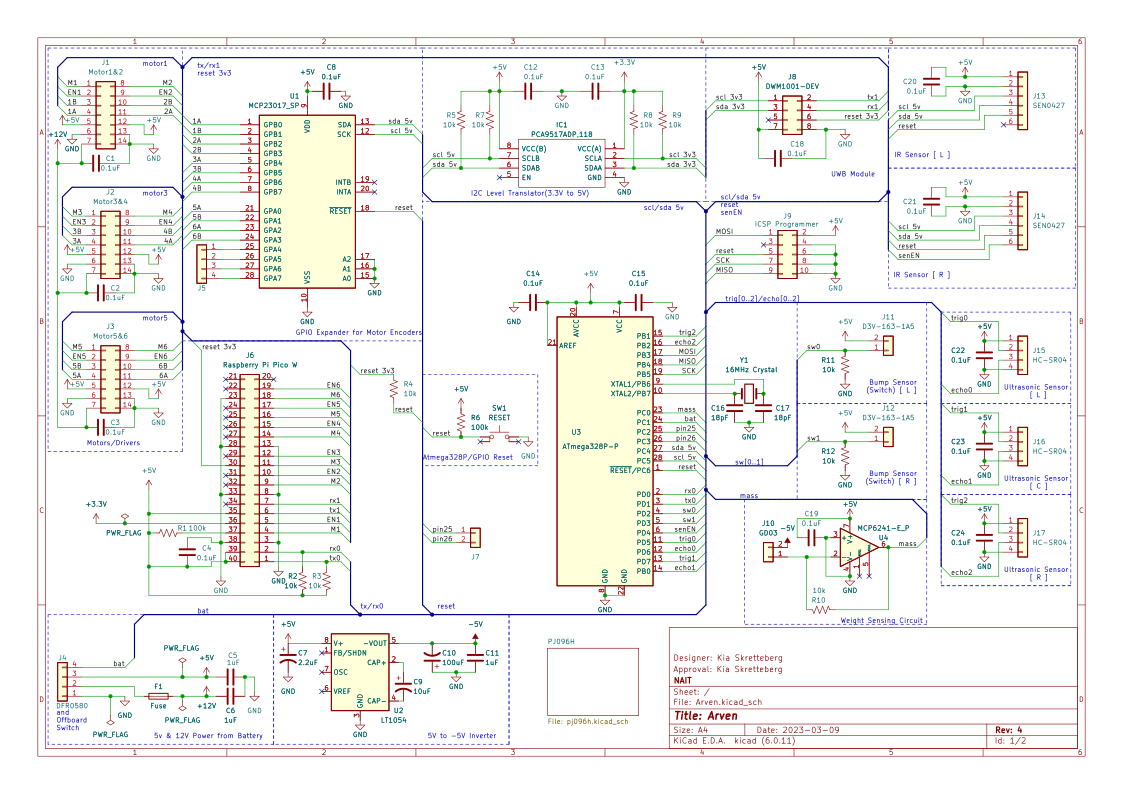
Circuit Design
The complete circuit diagram for the main PCB of the robot.
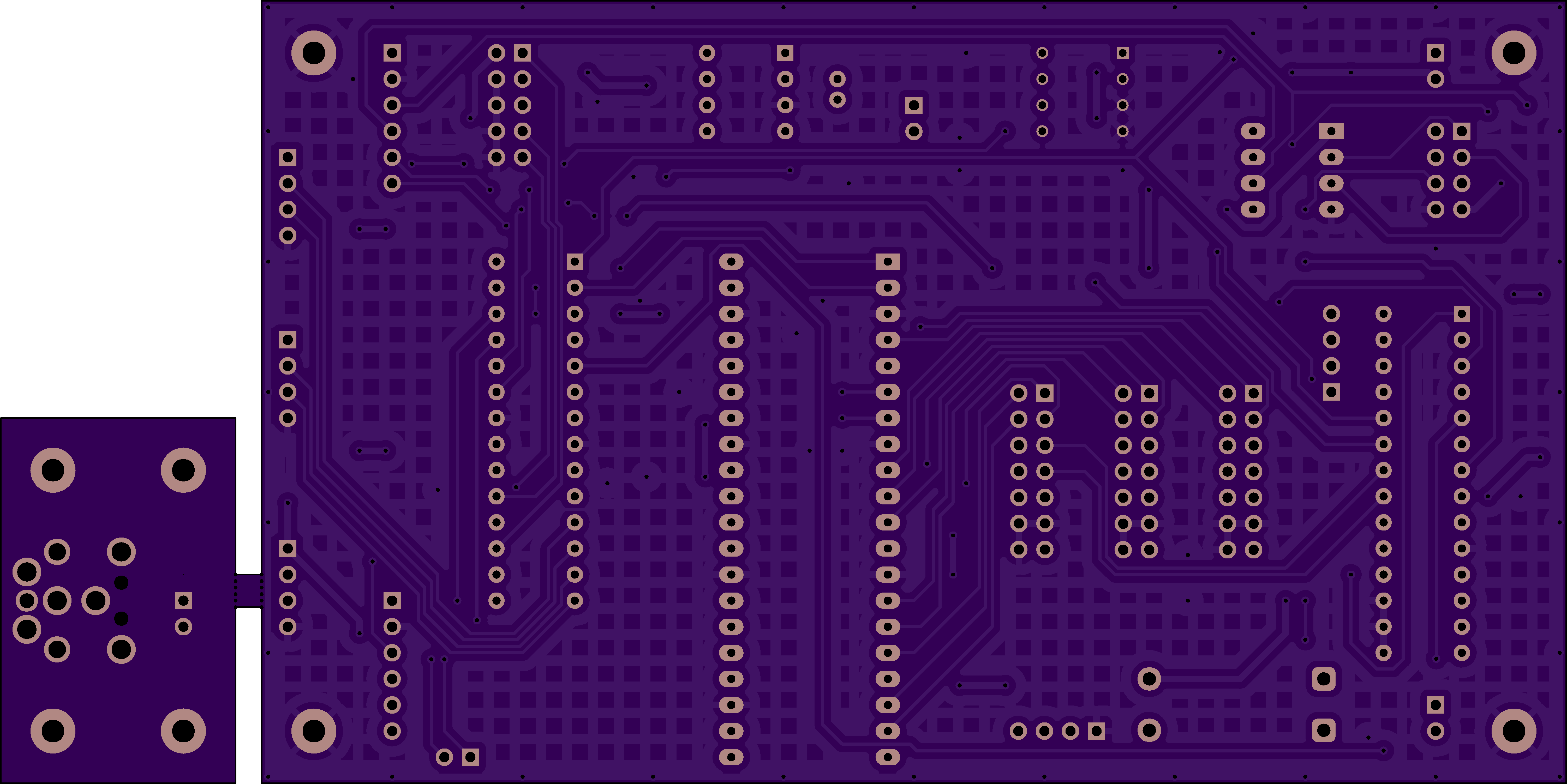
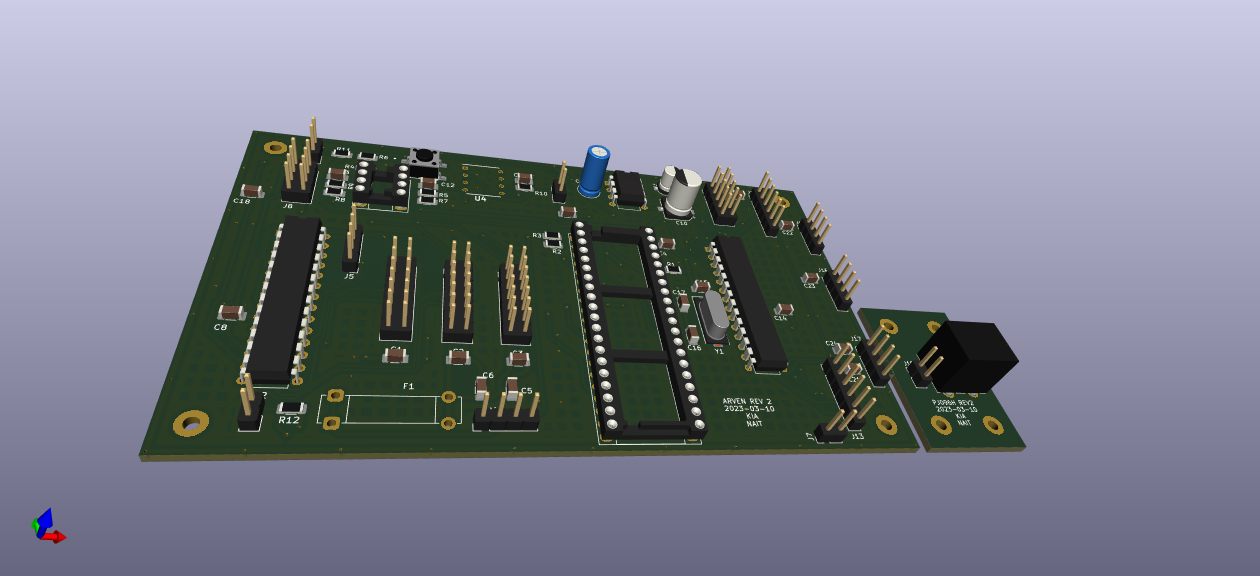
PCB Design
The top of the PCB designThe bottom of the PCB designA 3D rendering of what the PCB looks like with momst of the components soldered on
Web App UI Design
I came up with the overall design for the web application, making sure to take into account accessibility when selecting colours as well as taking into consideration use from various devices such as a mobile phone, tablet, or desktop computer. Feel free to download the pdf of the mockups or visit the actual web app to view what it looked like. The mockups do not include the mobile renderings but the mobile view can be seen by visiting the app. While I didn't built the web app entirely on my own, I did a good chunk of it due to time constraints, with a strong focus on the styling of the application.
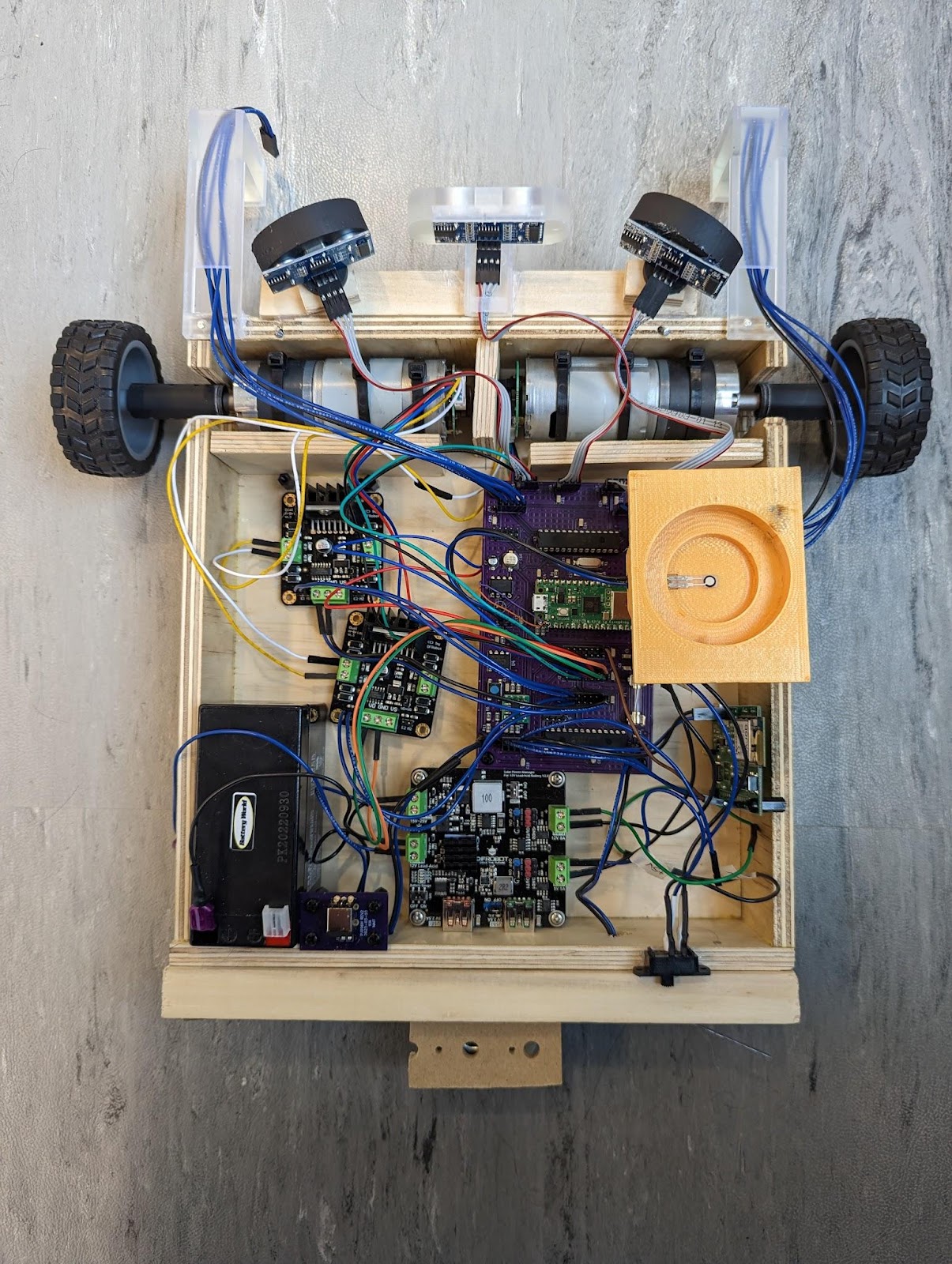
Final Result
Top-down view of the finished robotFront view of the finished robot